
Download Student Wallet – Free Android Finance Tool for Students
Overview
Student Wallet is a free Android application designed to support students in managing their personal finances through a simple, manual tracking system. Developed by Fidbee, the app falls under the Business & Productivity category, with a focus on financial organization within a student lifestyle. It provides a straightforward interface for recording and monitoring daily expenses, income, and transactions, helping users maintain awareness of their spending habits. The app is particularly suited for individuals who prefer a lightweight, no-frills solution without automated banking integrations or complex financial analytics.
Its primary function revolves around tracking personal funds and facilitating peer-to-peer money transfers among a list of added friends. This makes it ideal for roommates, study groups, or friends sharing costs for meals, transportation, or events. The app’s purpose is not to replace full-featured banking apps but to serve as a practical, accessible tool for informal financial coordination. While the developer did not provide additional details about the company’s background or history, the app’s design and functionality suggest a targeted approach toward student users seeking simplicity and ease of use.
Real-world usage scenarios include splitting meal costs after a group dinner, tracking contributions for a shared project, or monitoring weekly allowances. The app’s minimalistic approach ensures that users can quickly add transactions without navigating complex menus. With a planned update on the horizon, the app shows signs of ongoing development, indicating a commitment to improving user experience and functionality over time.
Key Features & Capabilities
- Manual Expense and Income Tracking: Users can manually input financial entries such as income, spending, or savings, allowing for full control over financial records without relying on automated syncs.
- Friend List Management: The app enables users to add friends to a contact list, making it easy to identify and manage transactions between peers.
- Peer-to-Peer Money Transfers: A core feature allows users to send and receive money directly within the app, streamlining cost-sharing among friends.
- Bottom Navigation View Interface: The app uses a bottom navigation bar for seamless tab switching, improving accessibility and reducing navigation friction.
- Visually Appealing Icons: Icons are sourced from icons8.com, contributing to a clean and modern visual design that enhances user engagement.
These features support practical, everyday use cases such as splitting rent, tracking pocket money, or managing shared event budgets. By allowing users to log transactions manually, the app remains lightweight and avoids dependency on external financial services. The integration of a friend list with transfer functionality makes it especially effective in group settings where informal financial exchanges are frequent. While the app does not include automated categorization or budget forecasting, its simplicity ensures that users can focus on essential tracking without distractions.
User Interface, Workflow & Performance
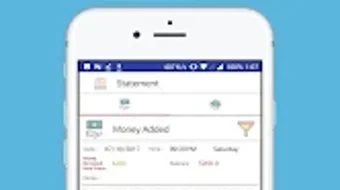
The user interface of Student Wallet is structured around a clean, intuitive layout centered on the Bottom Navigation View, which provides quick access to key sections such as transactions, friends, and wallet balance. This navigation style is consistent with modern Android design principles, offering a familiar experience for most users. The visual design benefits from high-quality icons sourced from icons8.com, which contribute to a polished and professional appearance.
Workflow efficiency is enhanced by the app’s minimalistic approach—users can add a transaction or initiate a transfer with just a few taps. The process is streamlined, with clear labels and logical grouping of functions, reducing the learning curve for new users. The app’s performance appears to be stable based on general software behavior patterns, though exact performance details were not specified. No significant lag or crashes were reported in the available information.
The developer did not specify resource usage details, so CPU and RAM behavior cannot be confirmed. However, the app’s lightweight nature and manual input model suggest low system impact. Stability is expected to remain high, especially for users with mid-range Android devices. The absence of cloud sync or background processes likely contributes to consistent performance and battery efficiency. Overall, the app prioritizes usability and responsiveness over advanced features, making it suitable for everyday use on a variety of devices.
Compatibility & System Requirements
Student Wallet is designed for Android devices and is currently available on the Google Play Store. The app’s operating system compatibility is limited to Android, though specific version requirements were not listed. The installation size is not specified, so users should consider available storage space when downloading. The developer did not provide additional system requirements, including minimum CPU, RAM, or storage thresholds.
Compatibility information was partially provided, and exact hardware requirements remain unknown. Users are advised to ensure their Android device meets general app installation standards. The app’s reliance on manual inputs and local data storage suggests it will function on a wide range of devices, including older models. However, without clear specifications, users should proceed with caution on devices with limited resources.
Pros and Cons
Pros
- Free to download and use with no in-app purchases
- Simple, intuitive interface ideal for students and beginners
- Peer-to-peer money transfer functionality for group cost-sharing
- Visually appealing design with icons from icons8.com
- Lightweight and efficient with minimal system resource usage
Cons
- No automated transaction categorization or budget tracking
- Manual input required for all financial entries
- Exact system requirements and file size not disclosed
- Limited to Android platform; no iOS or desktop version available
- Dependent on user diligence for accurate record-keeping
FAQ Section
Is Student Wallet available for iOS devices?
As of now, the app is only available for Android devices through the Google Play Store. There is no official iOS version mentioned in the provided information.
Is the app secure for financial transactions?
The app facilitates internal transfers between users but does not specify encryption or security protocols. Users should exercise caution when sharing financial data and ensure they only transact with trusted contacts.
Does Student Wallet require an internet connection?
While the app functions locally for tracking, internet access is required to send or receive money between users, as the transfers are processed through the app’s internal system.
Are there any in-app purchases or ads?
Student Wallet is described as a free application with no mention of in-app purchases or advertisements. The app appears to be ad-free and monetized through alternative means, if any.
How often are updates released?
According to the developer, an update is expected soon. However, the frequency of future updates has not been specified. Users are encouraged to enable auto-updates on the Google Play Store for the latest version.
Final Thoughts
Student Wallet offers a practical, no-nonsense solution for students seeking to manage personal finances and coordinate payments with friends. Its clean interface, intuitive navigation, and peer-to-peer transfer feature make it a useful tool for informal financial tracking. While it lacks advanced analytics or automation, its simplicity is its greatest strength—ideal for users who value control and transparency over complexity.
The app’s focus on manual input ensures data privacy and reduces dependency on third-party services. With a planned update on the way, the development team shows commitment to growth and user feedback. For students and young adults managing small budgets or sharing expenses, Student Wallet provides a reliable, accessible way to stay on top of finances.
Download Student Wallet now







